Open it in Chrome
Type kevman.co.ke/suregrain into Chrome and load the calculator. If the page opened inside WhatsApp or another app, open it in Chrome first, or the install option will not appear.
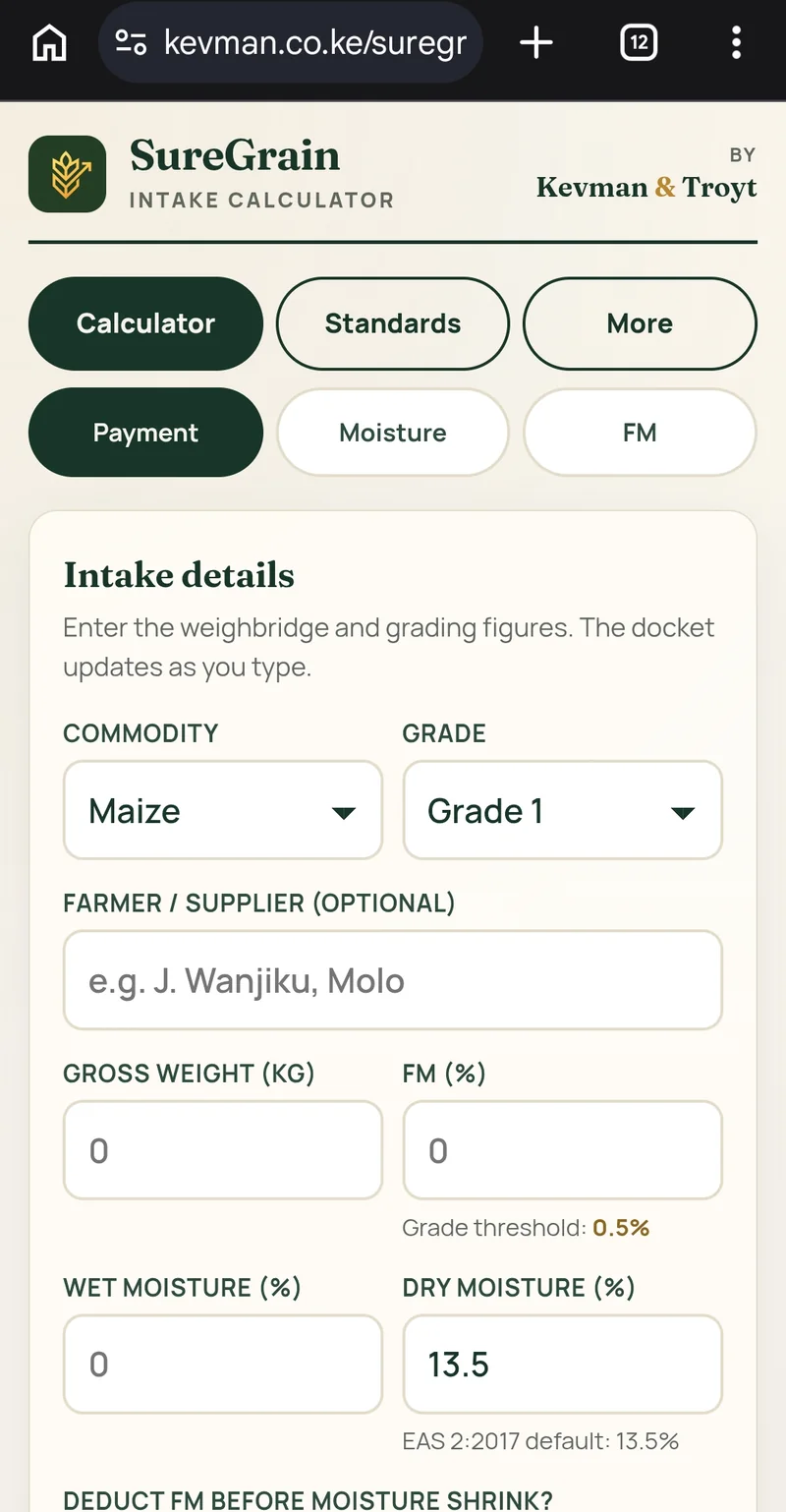
Saved to your home screen, the intake calculator opens like any other app and runs with no internet. Useful at the intake bay when the signal drops.
Four steps on an Android phone with Chrome. iPhone method is at the bottom.
Type kevman.co.ke/suregrain into Chrome and load the calculator. If the page opened inside WhatsApp or another app, open it in Chrome first, or the install option will not appear.
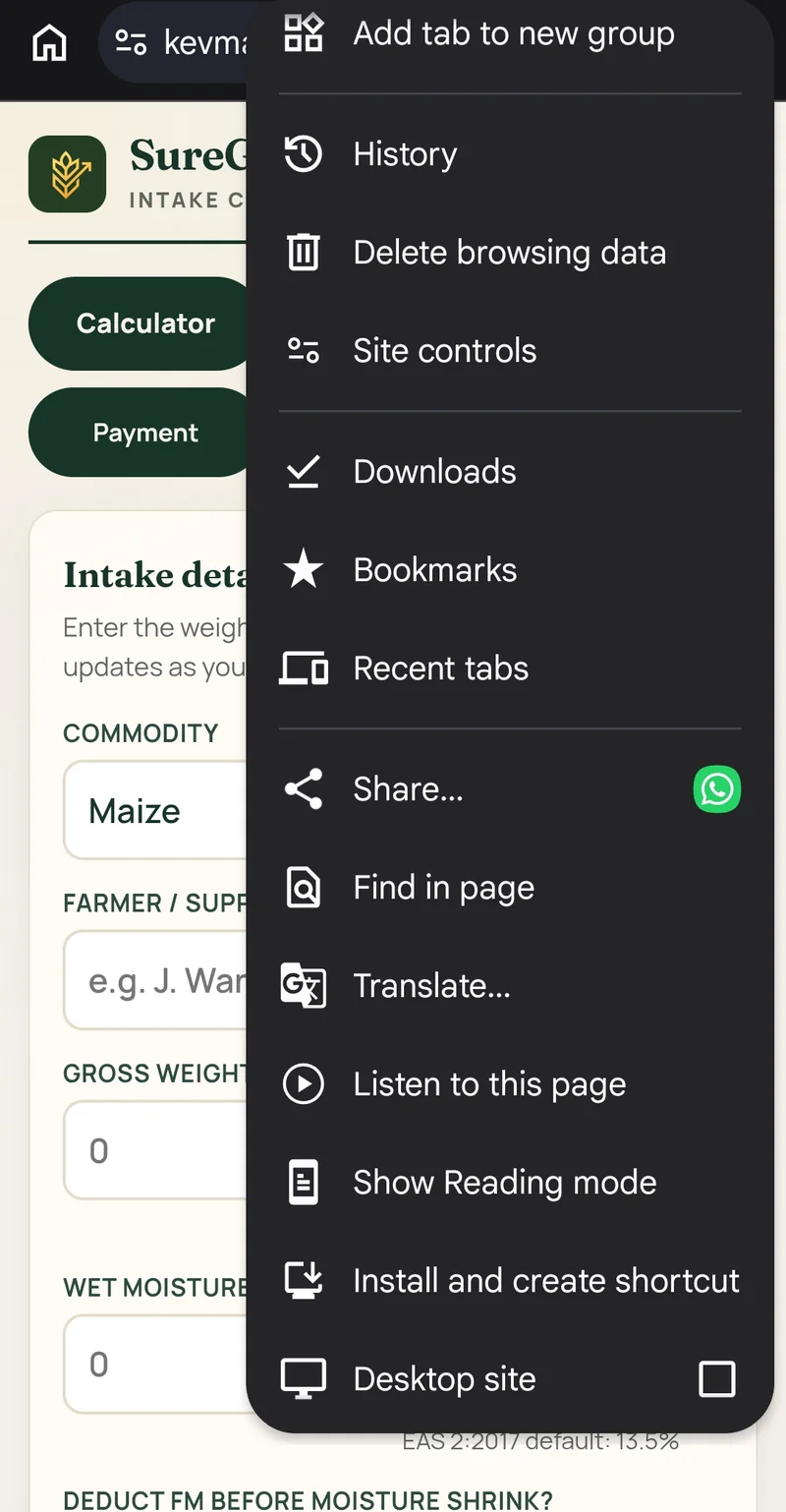
Tap the three dots at the top right of Chrome. Choose Install and create shortcut. On older Android phones the same option is called Add to home screen — either one works.
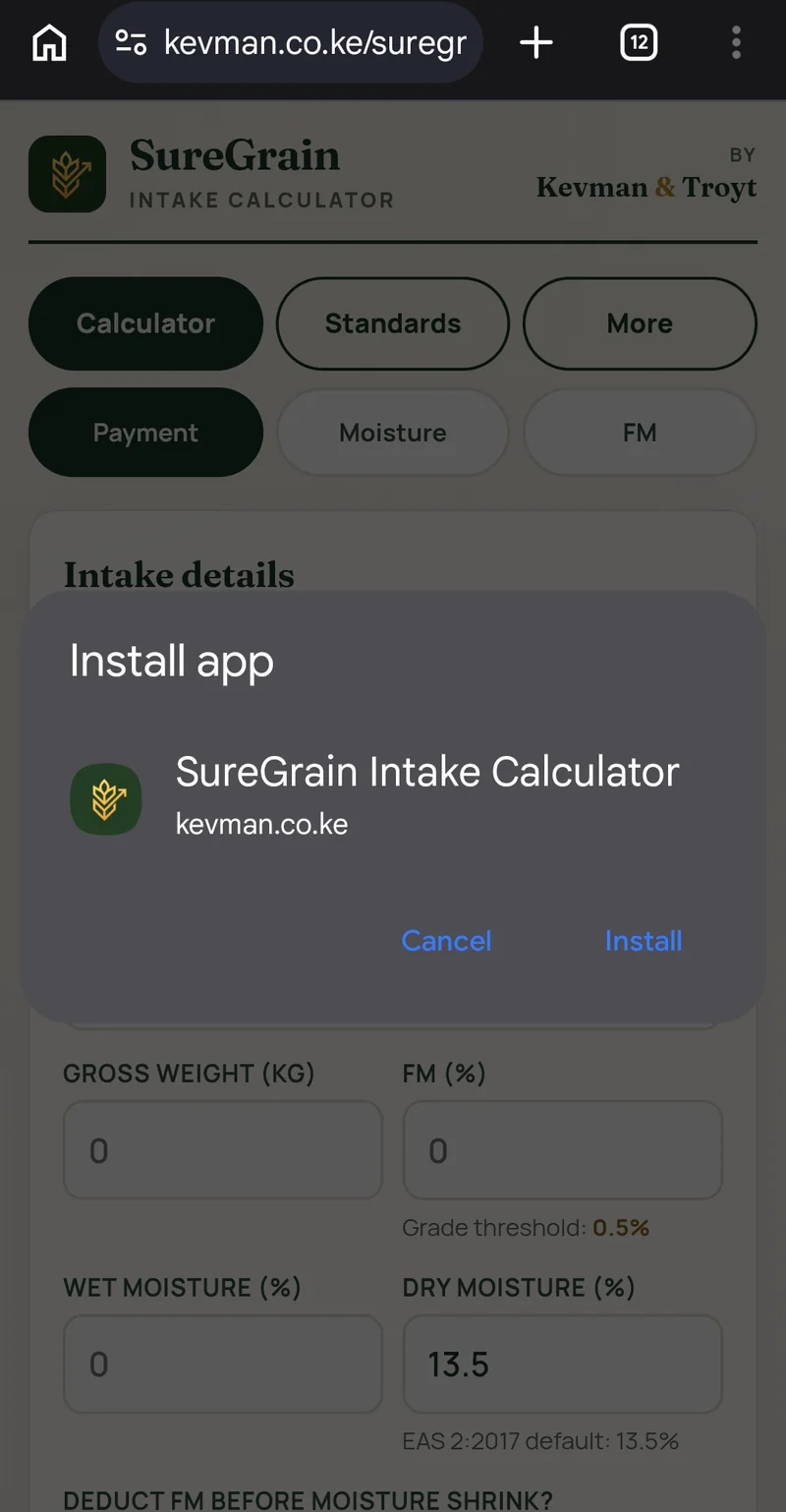
Chrome shows the SureGrain name and icon. Tap Install to save it to your phone.
The SureGrain icon now sits with your other apps. Tap it and the calculator opens full screen, online or off.

Open the page in Safari, tap the Share button, then Add to Home Screen. Chrome on iPhone cannot pin pages, so use Safari.
The page opened in an in-app browser that cannot pin pages. Open it in Chrome or Safari first. Still stuck, message Kevman & Troyt on WhatsApp and we will send the installable link.